We perform under stage lights. We build with the work lights on.

Worklight is a set of free tools for the people who make theatre. It runs in your browser, and your work stays on your own computer.

What are you working on?

Each opens in its own tab. Not sure which? See how they fit together

Made for stage managers

Plenty of software is made for spreadsheets, slide decks and quarterly reports. That's not us.

Worklight is here to help you draft the play, keep the book, and get everyone to places on time.

The tools

Follow a script from first draft to final call.

Every show's paperwork follows the script through its life. Worklight is building a tool for each stop along the way. Four lights are on, with more to come.

  1. Written Writer Ready
  2. Broken down Breakdown Ready
  3. Rehearsed Rehearsal Planner Ready Prompt Book Ready
  4. Run Stage Manager Ready
  5. Studied Sides Cue scripts, line study, the classroom. on the drawing board
Ready

Worklight Writer

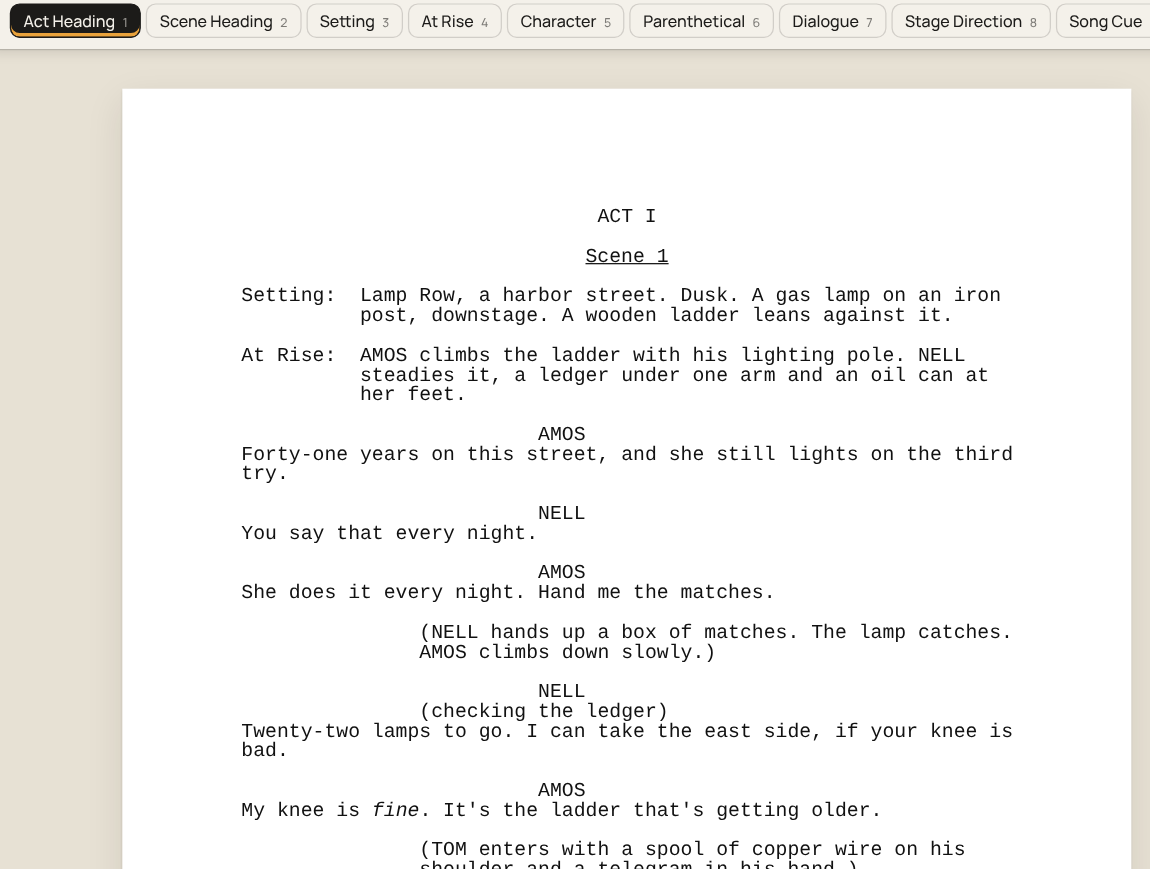
Screenplays, stage plays and musicals, formatted correctly as you type.

  • Press Enter and the next likely element is waiting
  • Pages that print to the standard, every time
  • Plain Fountain files you can open anywhere
Open Writer
A stage play page in Worklight Writer
Ready

Worklight Breakdown

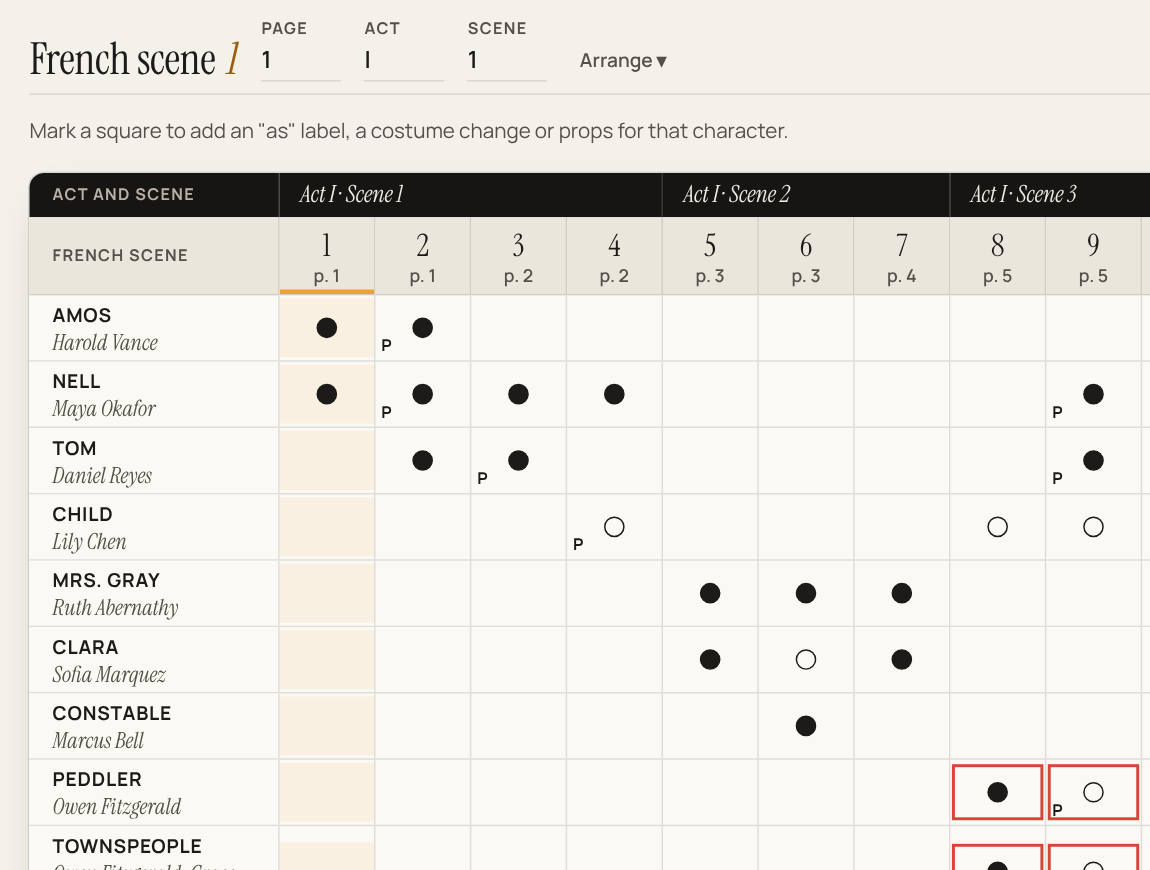
Who's onstage, French scene by French scene, and every chart and list that follows from it.

  • Starts from your Writer script or a published one
  • French scene charts, ready for the callboard
  • Checks doubling, flags quick changes, lists props
Open Breakdown
A French scene chart from Worklight Breakdown, for a sample show
Ready

Worklight Rehearsal Planner

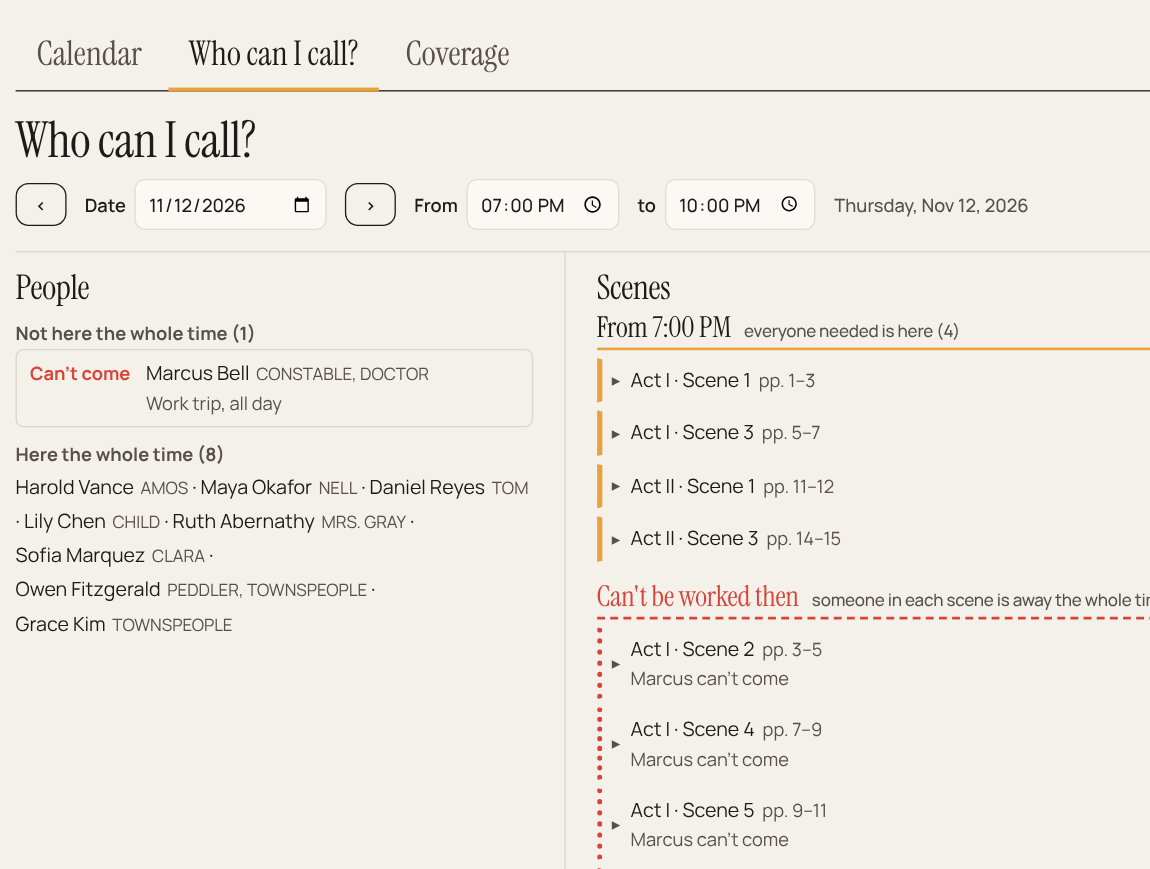
Who you can call Thursday, and which scenes you can work.

  • Everyone's conflicts beside your French scene chart
  • A rehearsal calendar that flags clashes as you plan
  • A daily call for the board, or to paste in an email
Open Rehearsal Planner
Who can I call? in Worklight Rehearsal Planner, for a sample show
Ready

Worklight Prompt Book

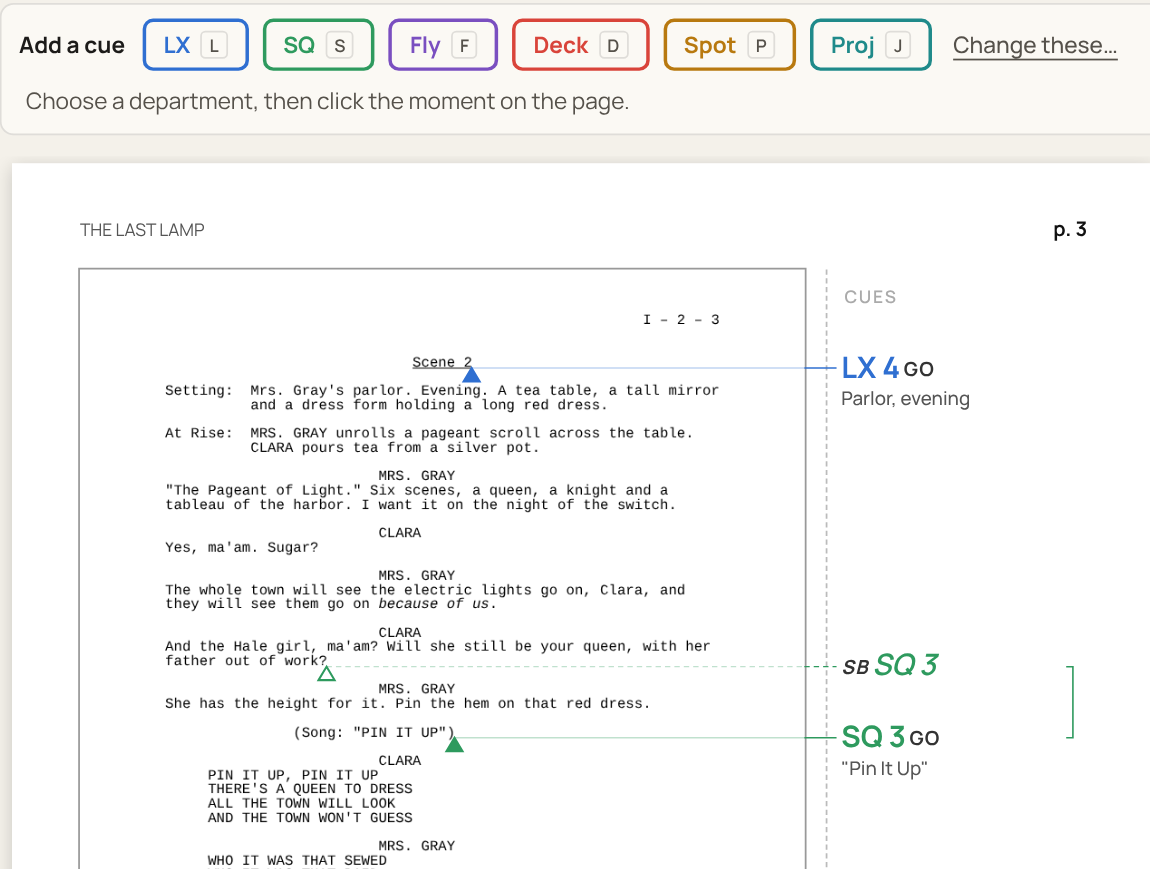
Every cue, in the book. Your photocopied script, ready for the booth.

  • Any photocopy of the script, set in clean pages
  • Cues and standbys pencilled in the margin
  • The book and each department's cue sheet, printed
Open Prompt Book
Cues in the margin of a script page in Worklight Prompt Book, for a sample show
Ready

Worklight Stage Manager

Every dropped line, caught. A sheet for each actor by the end of notes.

  • Line notes in seconds, from the page you're on
  • Rehearsal and performance reports, ready to email
  • Sign-in sheets, meeting notes and prop checklists
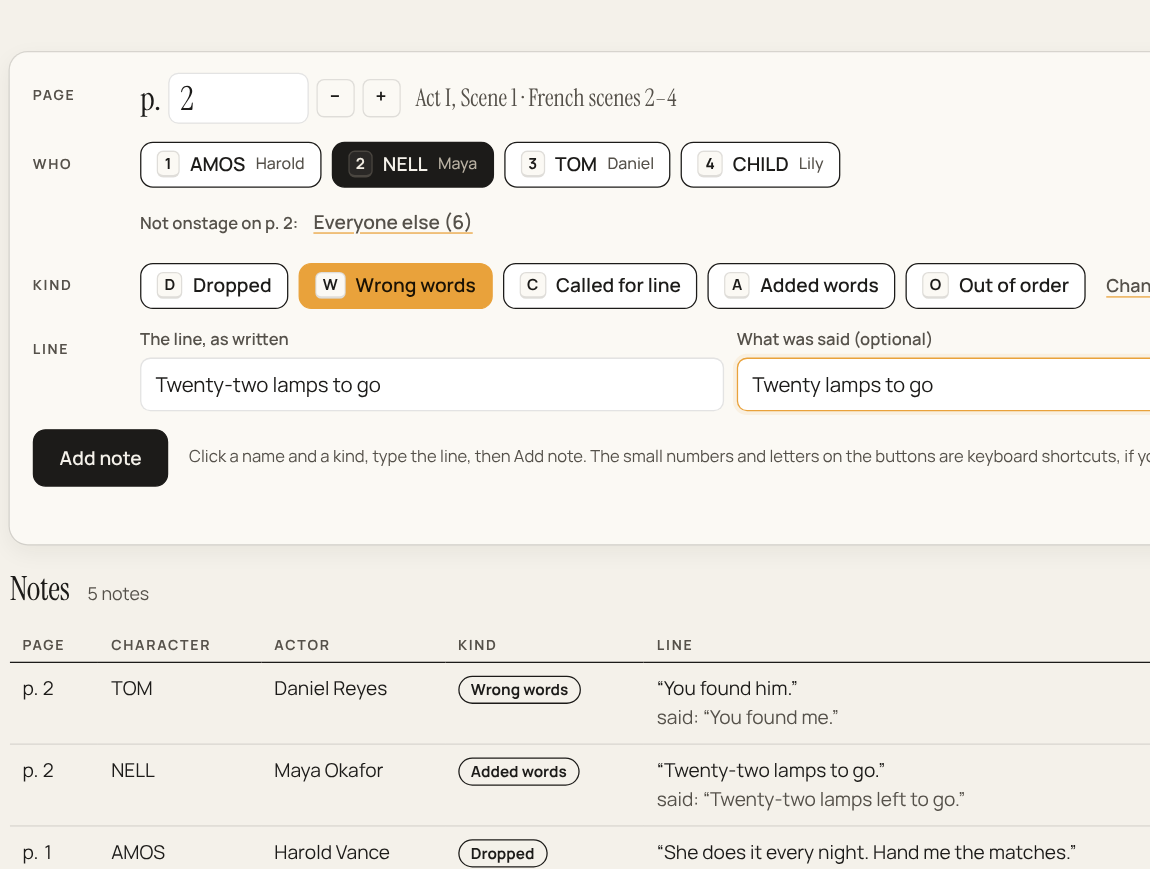
Open Stage Manager
Taking line notes in Worklight Stage Manager, for a sample show

“Sam's out Thursday. What can we still work?”

Pick a day. Worklight checks everyone's conflicts against your French scene chart, and the scenes you can work appear. Nothing up our sleeve.

No server. No accounts. No bill.

Worklight runs in Chrome or Edge, on a Mac, Windows or Linux computer, or an Android device. There's nothing to install and nothing to sign up for.

1

Your files stay yours.

Scripts are saved as ordinary files on your computer, readable with or without Worklight.

2

No accounts, no passwords.

Open the page and start. Nobody else stores your work.

3

Share the way you already do.

Keep production files in the Google Drive, Dropbox or iCloud folder your team already uses.

4

Works from the published script.

Worklight goes by its page numbers, so everyone can follow along, whatever they're holding.

5

Free. really

No subscription, no ads, no trial.

“For years I directed plays and taught playwriting, wishing for better tools. Now I'm building them.”

Michael Abbott · director, playwriting teacher, maker of Worklight

Free, always. If you'd like to say thanks, there's a tip jar.

What paperwork do you redo for every show?

Worklight grows out of real rehearsal rooms. Tell me what you'd want it to do, what you use now, and what you can't stand about it. Found a bug? I want to hear about that too.

Write to michael@worklight.me

Places, please.

Open Worklight Writer and start your next play. It takes about two seconds.

Open Worklight Writer

Or open Breakdown, Rehearsal Planner, Prompt Book or Stage Manager.